

Most students do not get stuck because they “cannot code.” They get stuck because debugging feels invisible. A program fails, a stack trace looks hostile, and the next step is unclear. The right AI tools for students can make that next step visible, without replacing the thinking that actually builds skill.
The strongest results come from using AI as a learning partner, not a shortcut. That means choosing tools that help you form hypotheses, inspect evidence, and test fixes. It also means building habits around verification, documentation, and academic integrity.
At Mimic Education, we approach coding support the same way we approach modern learning. We pair structured learning experiences with guided help, including conversational AI tutors that can walk students through reasoning, not just outputs. If you want to see how that “ask, test, reflect” support can be designed into learning, explore our work on AI tutors.
Table of Contents
What to look for in the best AI tools for students for coding and debugging?
The “best” tool is usually the one that fits your workflow and your guardrails. Students tend to do better with a small stack of tools that each has a clear job.
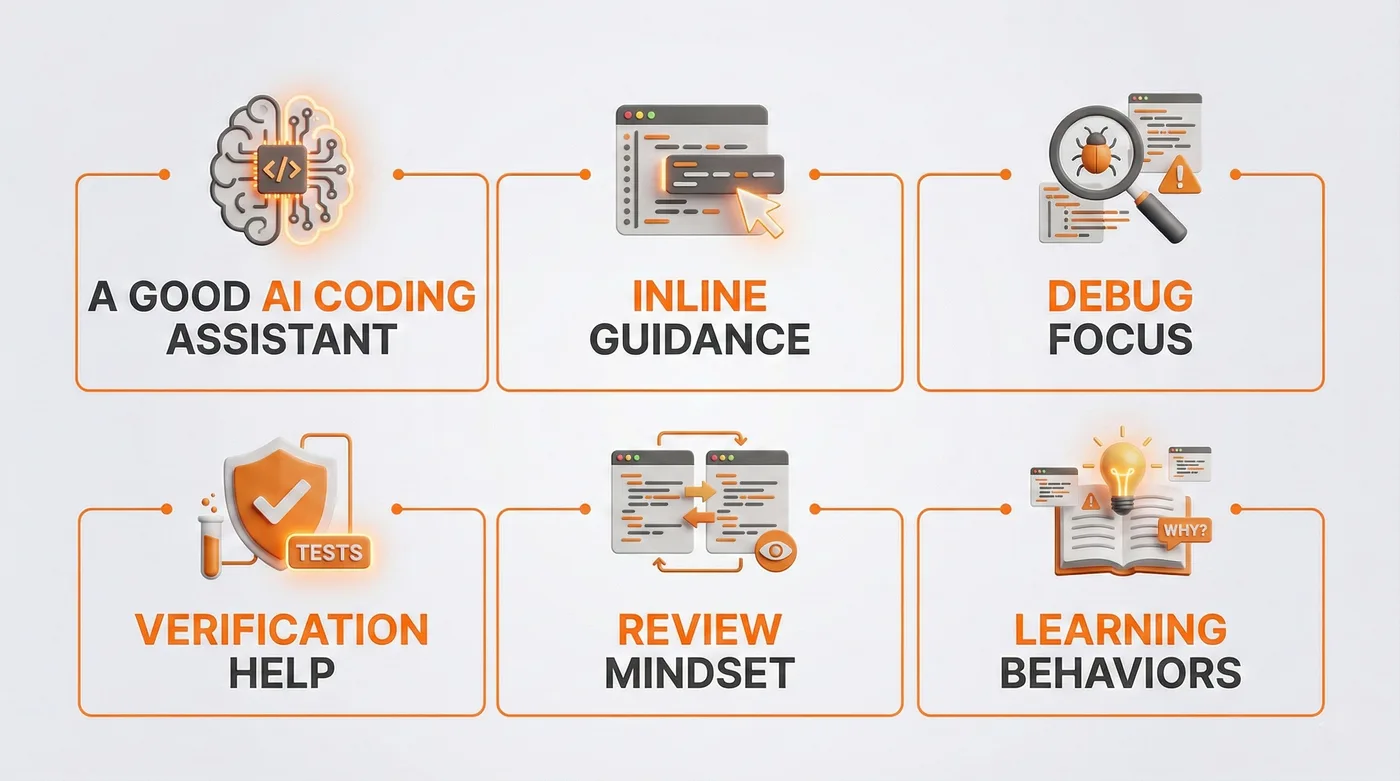
Here are the capabilities that matter most when your goal is coding help plus reliable debugging.
Context: A good AI coding assistant can see enough of your code to give accurate suggestions. Tools that understand your whole repo, not just a pasted snippet, reduce hallucinated fixes. Cursor, for example, documents how it indexes a codebase for better context.
Inline guidance: If you learn in an IDE, an IDE assistant that offers inline edits and explanations keeps you in flow. GitHub Copilot Chat is available in common environments like VS Code, Visual Studio, JetBrains IDEs, and more, which is why many students start there.
Debug focus: The tool should support stack trace analysis, not just code generation. Look for features that explain errors, suggest breakpoints, propose logs, and help you isolate variables.
Verification help: Strong tools push you toward tests. If a tool can suggest unit test generation, it is often more valuable than a tool that writes more production code. Tests turn “maybe fixed” into “proven fixed.”
Review mindset: A student-friendly code review mode helps you compare two solutions, spot edge cases, and improve readability. This is where an AI pair programmer adds value without taking over.
Learning behaviors: Tools that can do code explanation well tend to be safer for learning than tools that only output full solutions. You want “why,” not just “what.”
If you want a broader snapshot of how educators evaluate AI tools without losing pedagogy, the patterns in top 10 AI teaching tools for educators in 2026 apply well to coding contexts too.
A practical shortlist of tool types students actually use
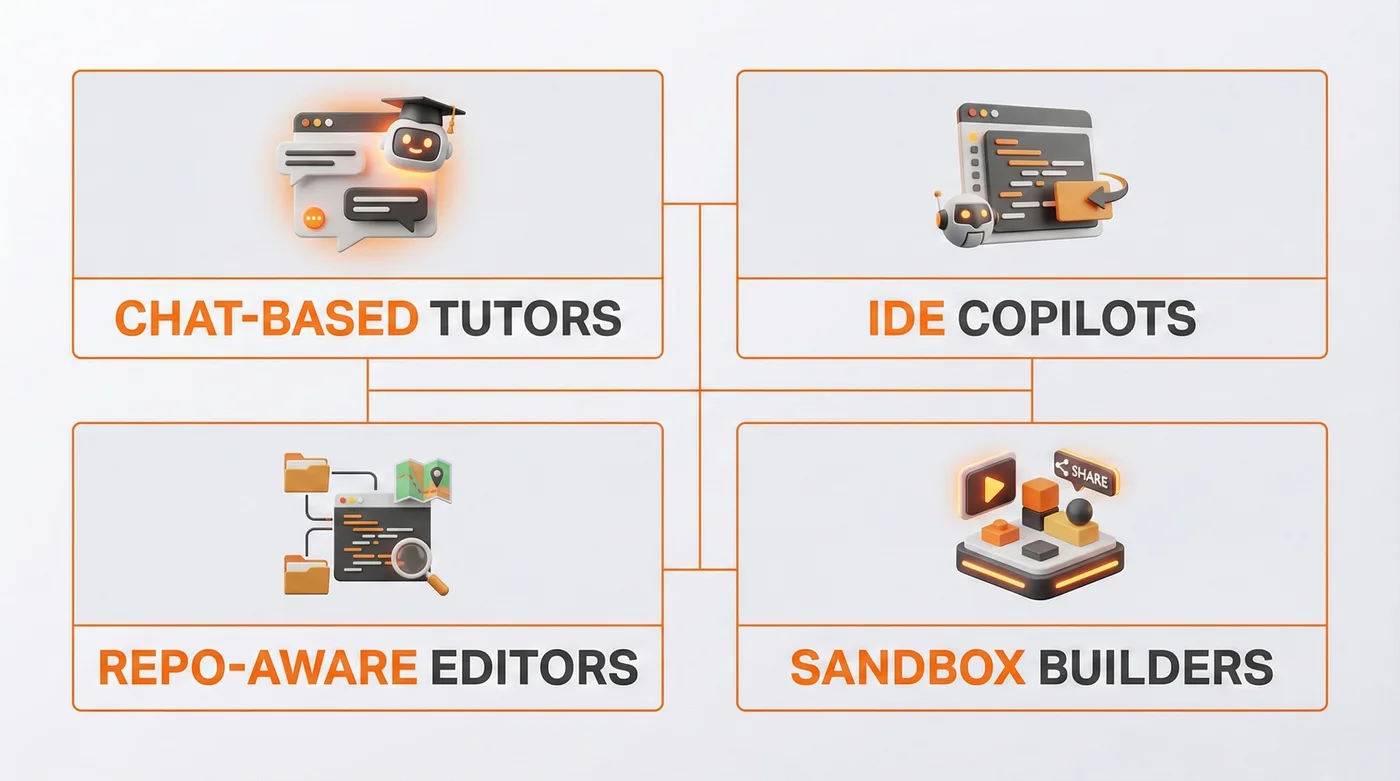
You do not need every product. You need a sensible mix.
Chat-based tutors: Useful for code explanation, debugging plans, and turning vague confusion into a checklist.
IDE copilots: Useful for code completion, refactors, and quick diffs.
Repo-aware editors: Useful when projects get bigger, and you need multi-file context and change planning.
Sandbox builders: Useful when you want to quickly run, test, and share working projects. Replit markets its Agent as a way to build apps from natural language inside its environment.
A student-friendly workflow for AI debugging and learning
The best way to use the best AI tools for students is to treat AI like a structured lab partner. You bring evidence. It helps you reason. You verify the outcome.
Step 1: Reproduce the bug on demand
Before you ask for help, make the failure repeatable.
Save the input that triggers the issue.
Note the environment, language version, and any dependencies.
Capture the exact error message for stack trace analysis.
Step 2: Create a minimal reproducible example
This is the single highest leverage skill in debugging. Reduce your code until the bug still happens, then stop.
A strong AI coding assistant will perform better when the problem is small and precise. You will also learn faster because you can see cause and effect.
Step 3: Ask for a plan, not a patch
Use prompt patterns that force reasoning. Examples you can adapt:
“Explain what this error means in plain language, then list three likely causes.”
“Propose a step-by-step debugging plan, including logs or breakpoints.”
“Suggest one change at a time, and tell me what signal would confirm it worked.”
This keeps you in control, and it makes code explanation part of the process.
Step 4: Generate tests before you change logic
If you can, ask for unit test generation that covers the failing case. Then add one edge case.
Tests do two jobs. They confirm the bug exists. They prevent regressions when you fix them.
Step 5: Apply the smallest fix, then rerun
Avoid sweeping rewrites. Debugging is a science experiment.
Change one thing.
Rerun tests.
Compare outputs.
Document what changed and why.
Step 6: Use code review prompts to improve the final result
After the bug is fixed, ask the tool to review your solution for clarity and maintainability.
“Review this fix for readability and naming.”
“Point out any hidden edge cases.”
“Suggest a refactor that keeps behavior identical.”
This is where an AI pair programmer supports growth, not just completion.
For a deeper look at the building blocks behind interactive learning experiences, including assistants and immersive modules, visit our technology page.
Comparison Table: Which AI approach helps most during debugging?
Different tools shine at different moments. A smart student workflow uses the right approach at the right time.
Swipe the table to see all columns.
AI approach | Best for | Risk if misused | Student-friendly tip |
Chat tutor | Code explanation, debugging plans, concept gaps | Accepting confident but wrong reasoning | Ask for assumptions and verification steps |
IDE copilot | Code completion, small refactors, quick edits | Autopiloting into code you cannot explain | Require yourself to summarize the change in your own words |
Repo-aware editor | Multi-file changes, navigating unfamiliar code | Over-scoped edits that break unrelated parts | Use a plan-first prompt, then apply changes incrementally |
App sandbox agent | Fast prototypes, runnable demos, sharing | “Magic builds” you cannot maintain | Use it to scaffold, then rewrite key parts yourself |
Applications In Education
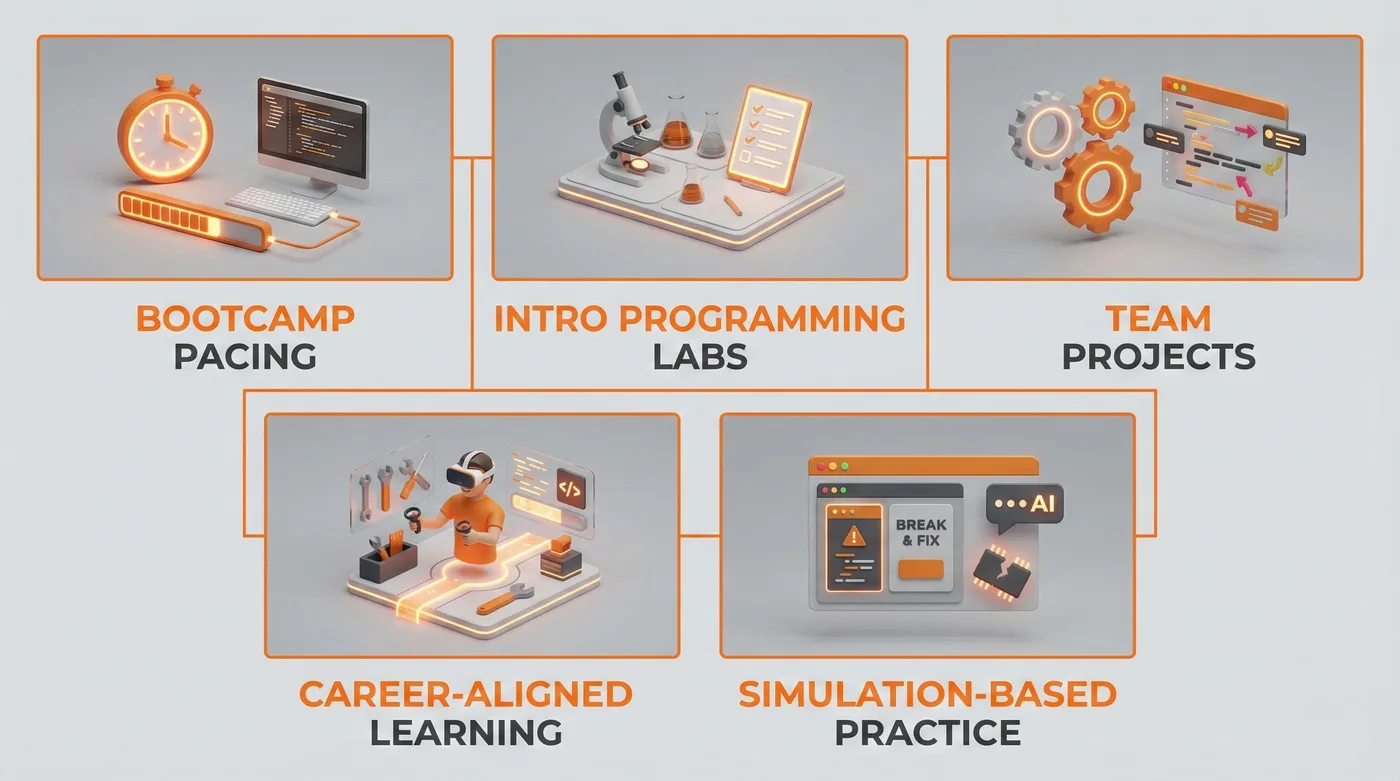
Coding support is not only for computer science majors. When used well, the best AI tools for students can strengthen learning across STEM and project-based courses.
Bootcamp pacing: Use an IDE assistant to remove friction during setup, then focus class time on design and reasoning.
Intro programming labs: Pair AI debugging checklists with structured rubrics so students learn a repeatable method, not random trial and error.
Team projects: Use AI-driven code review prompts to standardize readability and reduce merge chaos.
Career-aligned learning: In VR classrooms, students can practice real workflows for STEM roles, then bring artifacts back into a normal dev environment for testing and iteration. See how immersive prep connects to applied careers in how VR classrooms prepare students for careers in STEM, medicine and engineering.
Simulation-based practice: Combine debugging tasks with virtual lab simulations so students can “break and fix” systems safely, then reflect on root cause and verification steps using conversational AI tutors.
Benefits
Used with guardrails, the best AI tools for students can improve both outcomes and confidence in coding workflows.
Momentum: An AI pair programmer can help students move from stuck to moving, which increases practice time and reduces dropout moments.
Understanding: Strong code explanation turns errors into teachable concepts, especially in early courses.
Quality: Unit test generation encourages verification habits that many beginners skip.
Transfer: Practicing stack trace analysis with guided prompts helps students debug across languages and frameworks, not just one assignment.
Teacher support: Clearer student questions and better debugging artifacts reduce repetitive help requests. The broader workload patterns are discussed in how AI education improves learning outcomes and reduces teacher workload.
Considerations For Schools And Teams
If you are deploying these tools in a course or program, the goal is safe learning acceleration. Not uncontrolled automation.
Integrity: Define what “allowed help” looks like. For example, permit code explanation and debugging plans, require students to cite what they used, and restrict full-solution generation for graded tasks.
Permissions: Disable autonomous write access where possible. Some agent-style tools can directly modify project files inside a workspace, which increases the need for clear boundaries and backups.
Verification: Require tests, even for small fixes. Make unit test generation part of the rubric so students learn to prove changes.
Privacy: Establish rules for what code can be pasted into external tools, especially if projects involve sensitive data or partner systems.
Safety: Treat “auto-run” agents cautiously. There have been public incidents where an AI coding agent made destructive changes during testing, which is why oversight matters even in education contexts.
Equity: Make sure students can access tools on modest hardware. Support browser-based options and provide campus resources for heavier environments.
Future Outlook
The next phase of student coding support will feel less like autocomplete and more like a guided studio. Expect assistants who plan changes, run checks, and explain tradeoffs, while educators set the learning boundaries.
We are also moving toward multi-agent workflows where students can compare different solutions and learn from differences in reasoning. GitHub has announced work on a hub for managing multiple coding agents, which points to this direction of “compare and choose,” rather than “accept and ship.”
In parallel, learning experiences will blend software practice with immersive environments. VR classrooms and XR devices will support role-based simulations, while adaptive learning paths adjust the next challenge based on what a student has demonstrated. Mimic Education’s work with digital avatars uses pipelines grounded in realistic performance capture, including NLP for natural dialogue, so students can practice communication and problem-solving in a way that mirrors real collaboration. If you want the context behind that creative and technical foundation, visit our about page.
Conclusion
The best AI tools for students are the ones that make learning visible. Not by giving answers faster, but by helping students debug with evidence, explain what they changed, and verify fixes with tests.
When you pair an AI coding assistant with disciplined workflows, you get better code and stronger thinking. That combination is where real engagement happens. It is also where Mimic Education focuses its design, connecting guided support, practical projects, and next-generation learning experiences.
FAQs
What are the best AI tools for students for debugging without cheating?
Choose tools that emphasize code explanation, planning, and verification. Use them to generate hypotheses and tests, then implement and explain the fix yourself.
How should students prompt an AI coding assistant for better results?
Use prompt patterns that demand a plan, assumptions, and validation steps. Ask for a debugging checklist before asking for any code changes.
Can AI replace learning to read errors and logs?
It should not. The goal is to improve stack trace analysis skills. AI can translate and guide, but students still need to inspect evidence and confirm causes.
Is an IDE assistant better than a chat tool for coding help?
They solve different problems. An IDE assistant is great for code completion and refactors. A chat tutor is better for reasoning, planning, and code explanation.
How can teachers assess work when students use AI?
Require students to submit a short debugging note: symptoms, hypothesis, fix, tests, and what they learned. Add code review expectations to rubrics.
What is the safest way to use unit test generation in class projects?
Ask AI to draft tests for a failing case, then have students revise them and add one additional edge case. Tests should be reviewed like any other code.
Do AI coding agents help beginners or confuse them?
They can help if constrained. Beginners should avoid autonomous edits and focus on guided steps, small diffs, and explanations they can restate clearly.
How does Mimic Education think about AI support for coding?
We focus on guided learning loops. Conversational AI tutors support reasoning and reflection, while immersive experiences like 3D simulations for education can contextualize real workflows.